
Record a ghost sighting
Welcome to the Department for Supernatural Affairs service to record a ghost sighting. This spooky service contains intentional accessibility issues — your job is to find them all. You can use haunted tools like Wave, navigate using your keyboard or use other automated and manual tools to help find them. Some might be tricker than others.
Each page contains one or more accessibility issues (and perhaps a lurking ghost 👻).
Start the haunted serviceThink you’ve solved the mystery…
Enter the secret password to unlock the list of intentional accessibility issues. (Hint: the ghosts will whisper clues to the password — reveal them all to claim your spooky badge.)
Answers
Pages in this prototype
| Page name | URL | Intentional accessibility issues |
|---|---|---|
| Start page | /start |
Incorrect heading hierarchy – more than one Undescriptive link text – “Find out more” gives no context (2.4.4). Link opens in new tab without warning – Focus indicator removed – Unpredictable tab order – reversed layout disrupts logical keyboard navigation (2.4.3). Low contrast link styling – link colour insufficient contrast with background (1.4.3). Low contrast focus indicator – yellow focus outline on white service name text fails non-text contrast (1.4.11). |
| Question 1 – Witness details | /question1 |
Low contrast error text – green error messages may not meet minimum contrast ratio (1.4.3). Continue button not focusable – Hidden focusable link – off-screen ghost clue link can receive focus and confuse order (1.3.1). Low contrast focus indicator – yellow focus outline on white service name text does not meet non-text contrast requirements (1.4.11). |
| Question 2 – Type of ghost sighting | /question2 |
No proper fieldset or legend – checkboxes not semantically grouped or clearly described (1.3.1). Continue button not keyboard focusable – Hidden focusable link – off-screen ghost clue can receive focus and confuse users (1.3.1). Low contrast error text – green error messages may not meet minimum contrast ratio (1.4.3). Low contrast focus indicator – yellow focus outline on white header text fails non-text contrast (1.4.11). |
| Question 3 – Date and location of sighting | /question3 |
Empty legend – the date fieldset has no descriptive legend, so screen readers can’t identify the grouped inputs (1.3.1). Error messages not linked to inputs – dynamically added messages lack ARIA references such as Continue button not focusable – Hidden focusable link – ghost clue link is visually hidden but can still receive keyboard focus (1.3.1). Low contrast error styling – bright green text and outlines may not meet minimum contrast ratio against white background (1.4.3). |
| Question 4 – Description of sighting | /question4 |
Hidden focusable link – ghost clue link is visually hidden but can still receive focus, disrupting logical navigation (2.4.3). No character count or ARIA live region – users are not informed how much text they can enter (4.1.3). Continue button not keyboard focusable – Error message not linked to input – no Low contrast error styling – bright green text and outlines may not meet contrast ratio requirements (1.4.3). |
| Question 5 – Supernatural activity intensity | /question5 |
No fieldset or legend – radio buttons are not grouped semantically, so the question lacks context for screen readers (1.3.1). Error message not linked to radio group – error text is not programmatically tied to the inputs (4.1.2). Hidden focusable link – the spooky bat clue can still receive focus even though it’s visually hidden (2.4.3). Continue button not keyboard focusable – Low contrast error styling – green error text and outlines may not meet minimum contrast ratio requirements (1.4.3). |
| Question 6 – Upload evidence | /question6 |
Incorrect label association – label and hint are not programmatically linked to the file input (1.3.1). Missing accessible instructions – unclear purpose and file type guidance for assistive technology users (3.3.2). Hidden focusable link – ghost clue link is visually hidden but can still receive focus (2.4.3). Continue button not keyboard focusable – Low contrast error styling – green error text and outlines may not meet minimum contrast requirements (1.4.3). Error message not linked to input – error text lacks an |
| Check your answers | /checkanswers |
Undescriptive “Change” links – identical link text without hidden context makes it unclear what each link changes (2.4.4). No table caption or summary – screen readers cannot identify what information this list represents (1.3.1). Inconsistent heading hierarchy – the secondary heading does not follow logical structure after the page title (1.3.1). Unclear submission instructions – context before the “Accept and send” button is not programmatically associated (3.3.2). Keyboard focus loss after submission – no focus management provided, causing potential disorientation for keyboard users (2.4.3). |
| Confirmation page | /confirmation |
All caps heading – “REPORT COMPLETE” reduces readability for users with dyslexia or visual impairments (1.4.8). No clear route back – no consistent navigation link to return to the homepage or previous sections (2.4.5). Confirmation message not programmatically identified – the panel lacks an ARIA role or landmark for assistive technologies (1.3.1). No focus management after submission – keyboard focus is not moved to the confirmation message when the page loads (2.4.3). Skipped heading levels – heading structure may not follow logical order, reducing navigability for screen reader users (1.3.1). |
| View your reports | /tasklist |
No table caption – the main table has no caption or ARIA label describing its content. (1.3.1). Inconsistent heading hierarchy – heading levels do not llow a clear structure within summary cards (1.3.1). |
Found something else?
If think you've found any issues that aren't listed, please share them by email.
Claim your spooky badge
Congratulations! You’ve uncovered all the hidden ghosts and solved every accessibility mystery. You’re officially part of the Ghost Spotter’s Club 👻
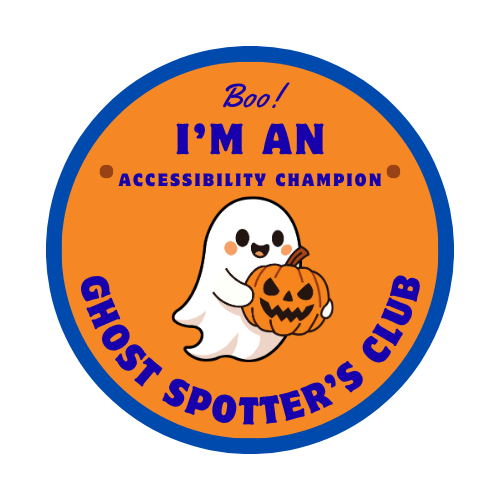
Display your badge to show you’re an Accessibility Champion Ghost Spotter!
Copy and paste this code snippet into your HTML:
Or download the badge image directly: